Due to forgetfulness or security concerns, you may need to change the password of an application you have installed on your domain. To do this, follow these steps:
- Log into your Knight Domains Dashboard
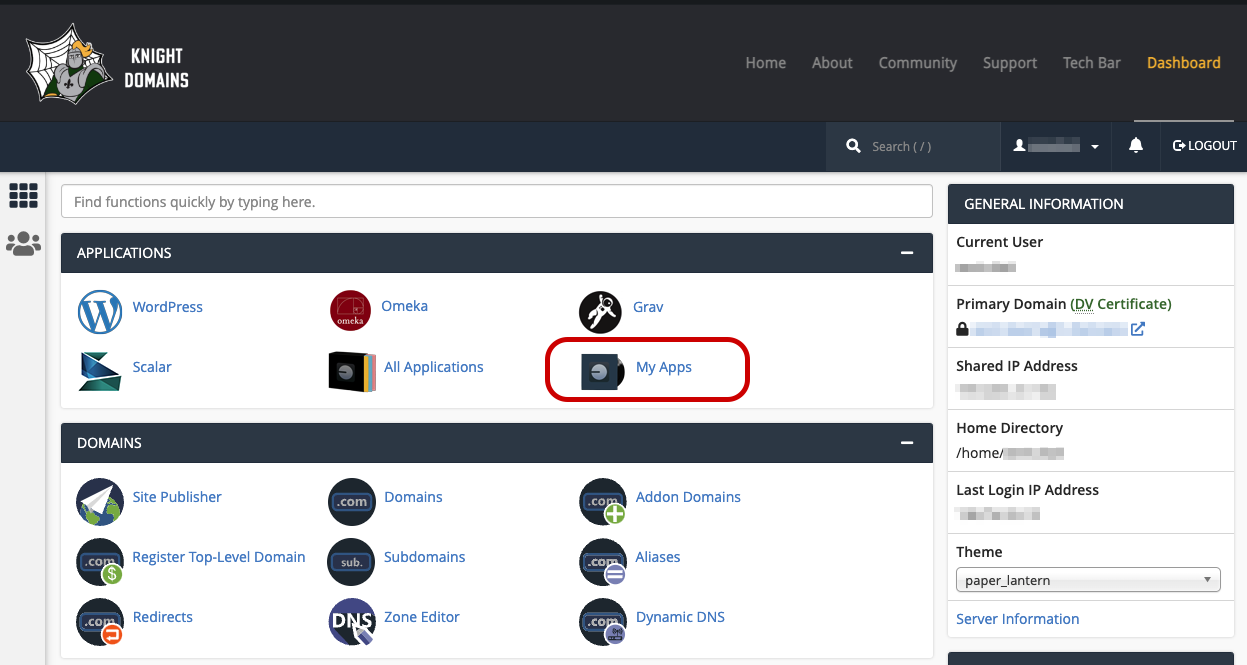
- Click on My Apps
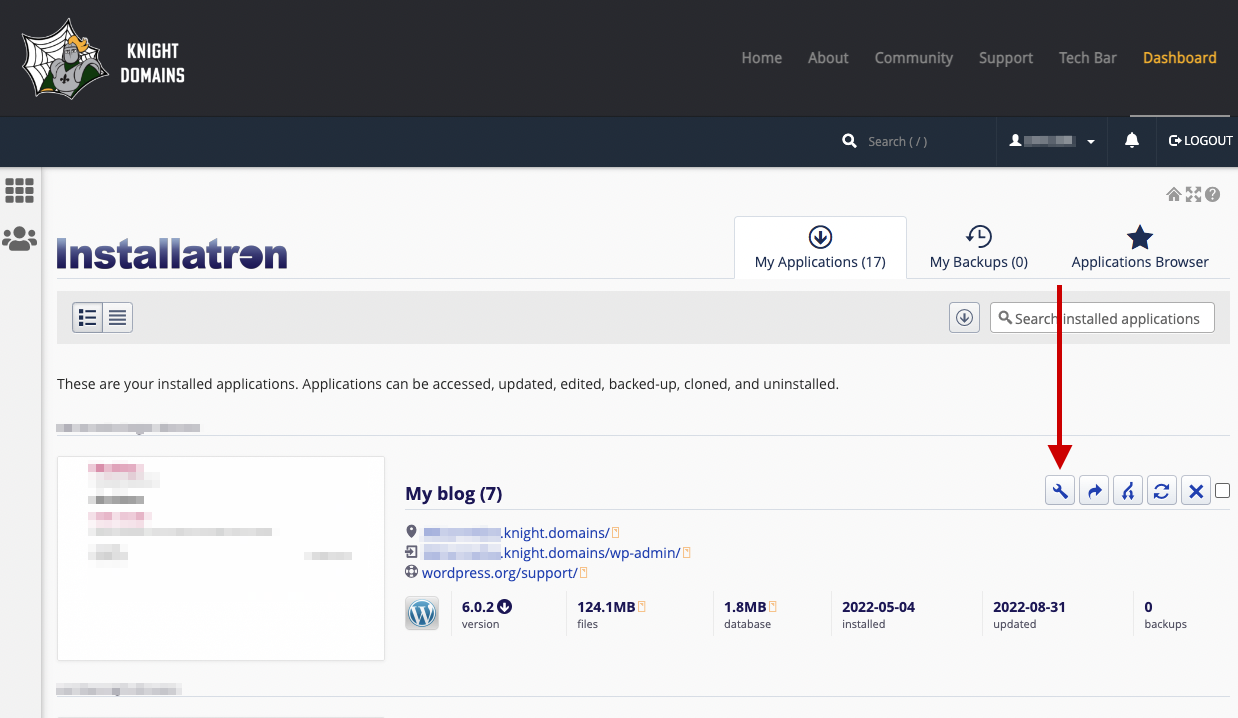
- Find the application that you need the password reset on and click on the wrench icon
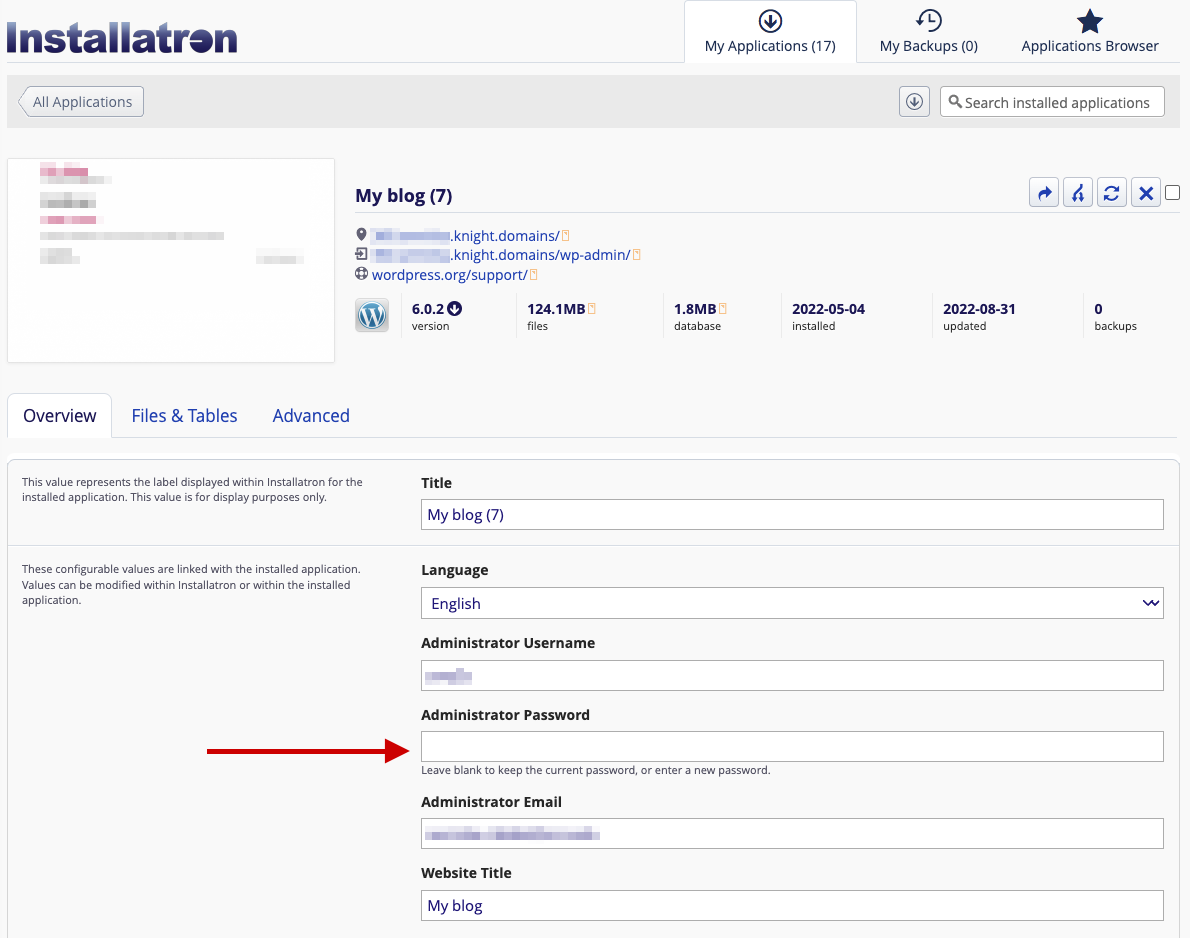
- Enter your new password in the Administrator Password box.
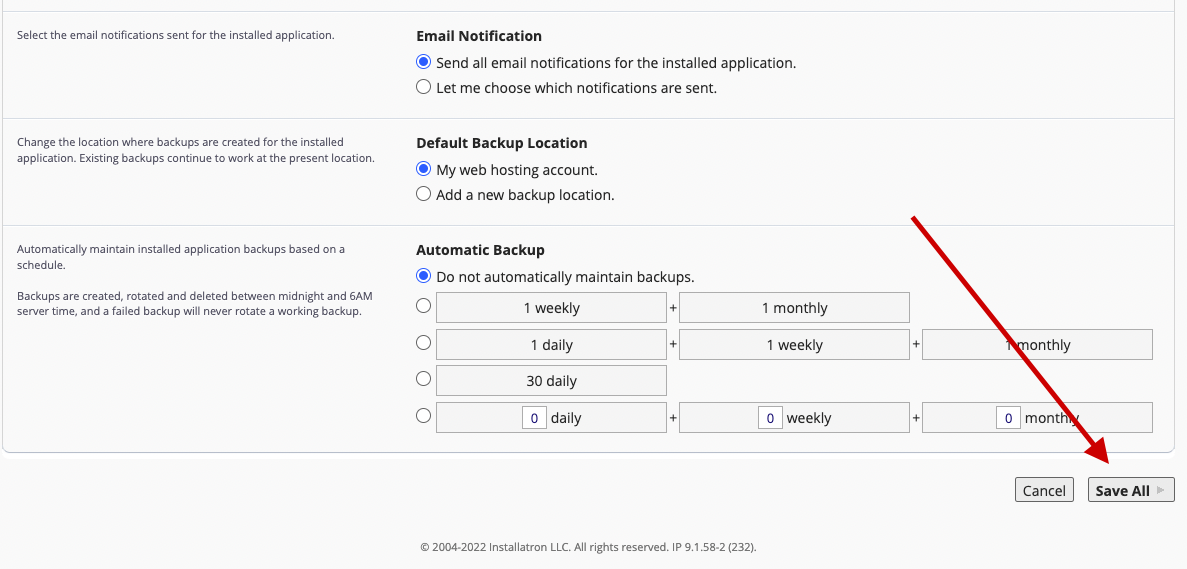
- Scroll down and click Save All
And now your password is successfully changed!